Complete Data Analytics Bootcamp
Starting From $79.99
Chat on WhatsApp
Become a Job-Ready Data Analyst in 4 Months!

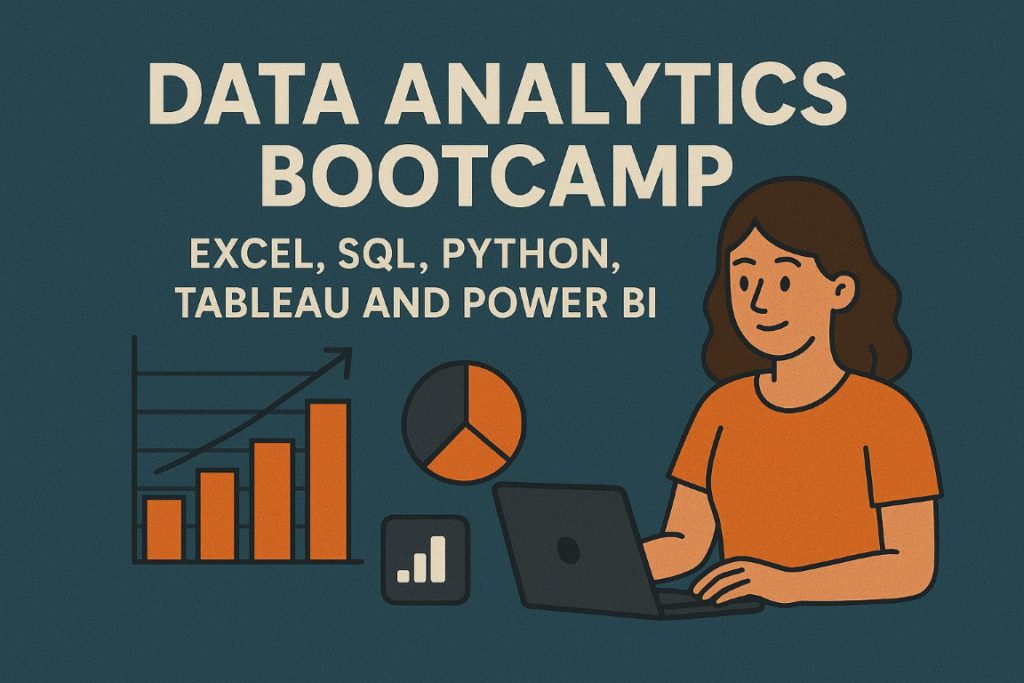
Complete Data Analytics Bootcamp : Excel, SQL, Python, Tableau, Power BI

Gain practical, in-demand data analytics skills through guided training, real-world projects, and structured career preparation designed to help you confidently transition into a data analyst role.
4.1 (20 reviews) 1,003 students enrolled 4 Months
Last updated: 19 April 2026 Available in: English, French, Pidgin (West African)
Complete Data Analytics Bootcamp
Self-Paced Save $10.00
$79.99 $89.99

Starting price — see more plans below

Chat on WhatsApp

7-Day Money-Back Guarantee Try the course risk-free. If it's not right for you, get a full refund within 7 days.

Business

Data Analytics Training for Teams

Citichoice Institute partners with organizations to deliver tailored data analytics training that improves decision-making, operational efficiency, and data literacy across teams, with customized curriculum. Flexible delivery. Measurable outcomes.

Dedicated account manager
Team progress dashboard
Volume discounts
Custom scheduling available
Request a Quote Chat on WhatsApp
Your Destination

Launch Your Career as a Data Analyst

The Complete Data Analytics Bootcamp at Citichoice Institute is designed to take you from beginner to confident data analyst through structured learning, hands-on projects, and guided career preparation.

You will work with industry-standard tools such as Excel, SQL, Python, Tableau, and Power BI while solving real business problems that reflect how data analytics is used in professional environments.

Our approach emphasizes practical application over theory, ensuring you graduate with the skills, confidence, and portfolio needed to pursue data analyst roles across multiple industries.
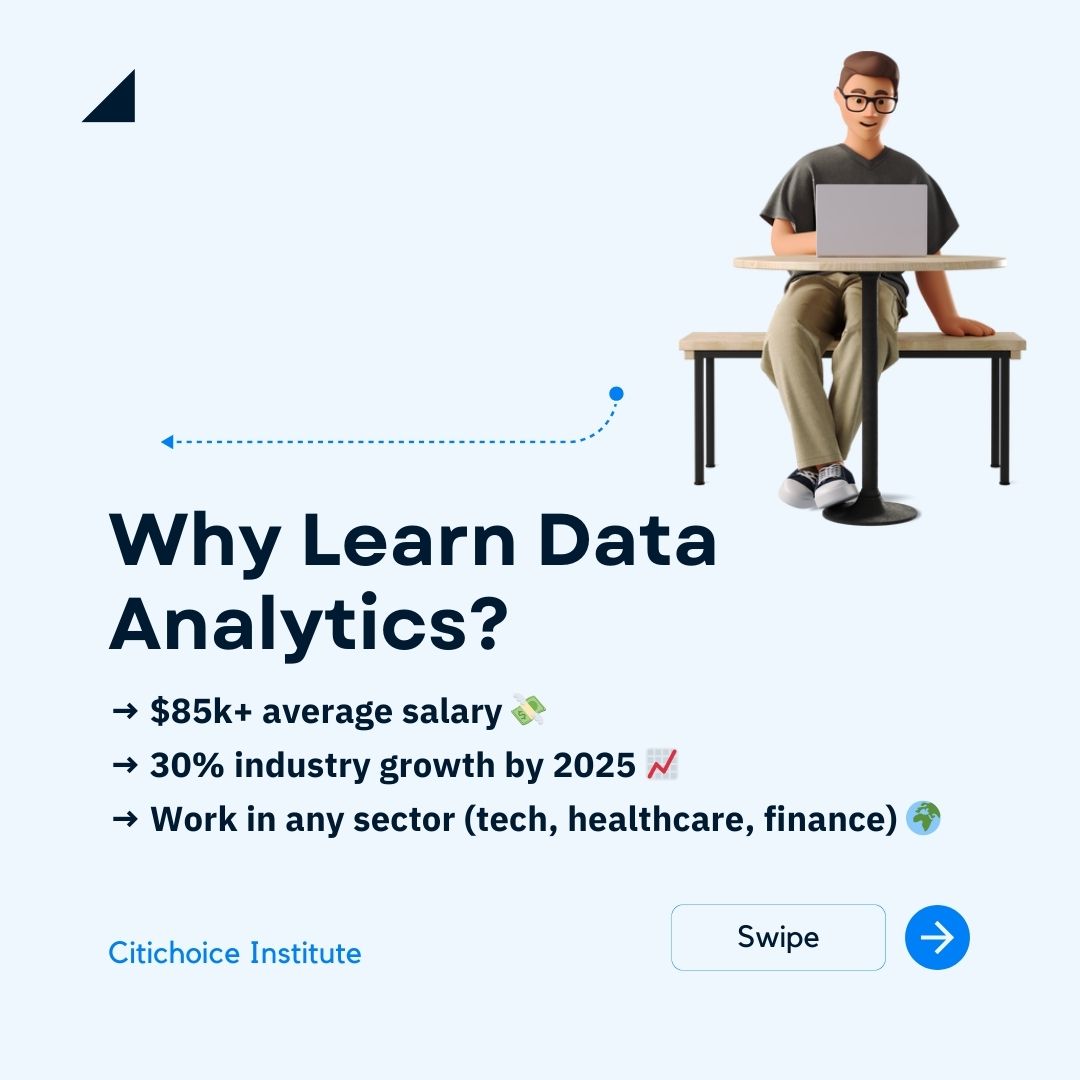
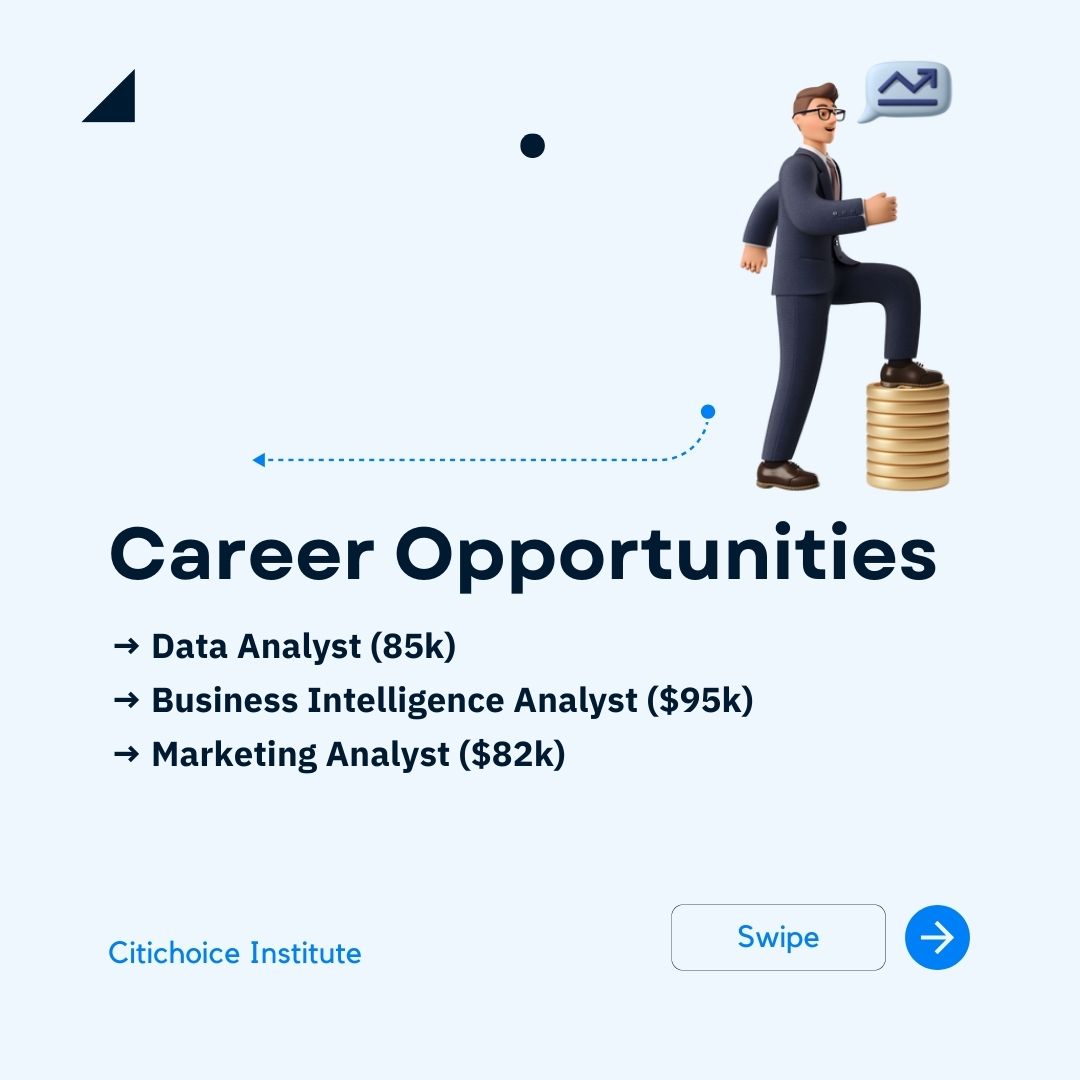
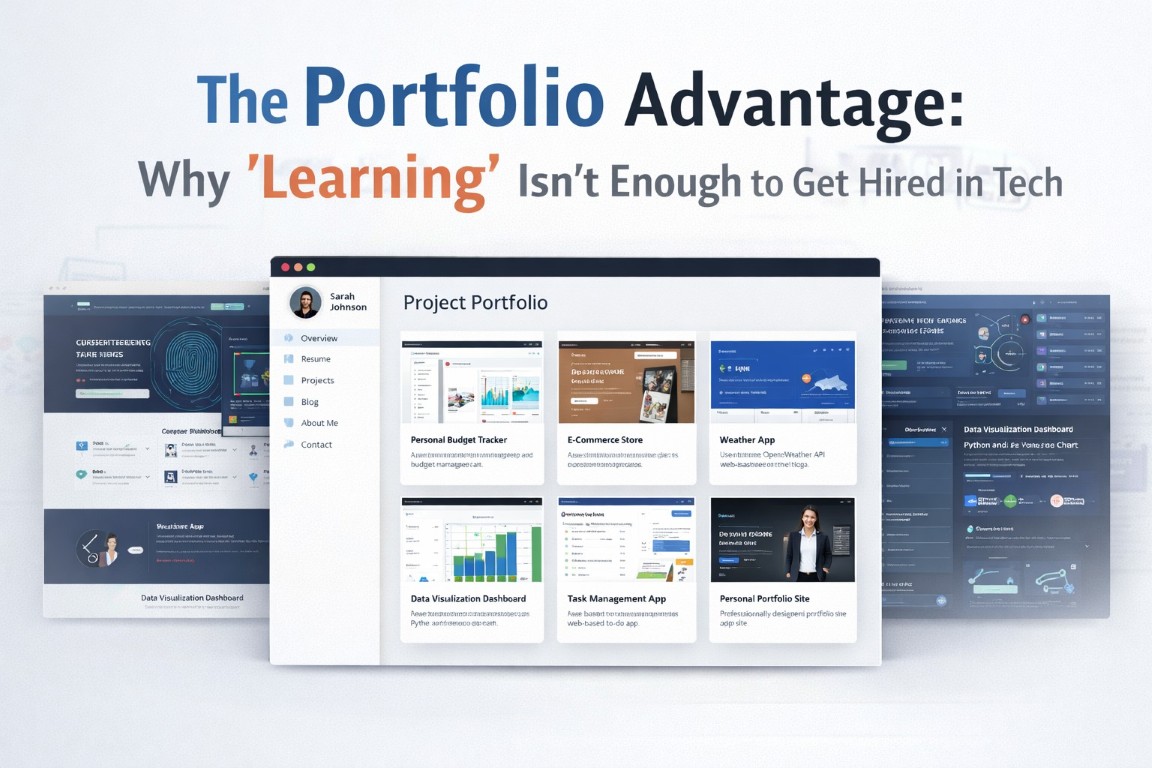
data analytics slide 1
data analytics slide 2
data analytics slide 3
data analytics slide 4
data analytics slide 5
data analytics slide 6
data analytics slide 7
1 / 7

What's included on this platform

Live Classes
Real-time instruction via Microsoft Teams with Q&A
Course Groups
Private peer communities with expert moderation
Social Feed
Progress sharing and achievement recognition
Direct Messages
Instructor & peer messaging with quick support
Project Library
Realistic datasets and personalised feedback
Certificates
Verified, employer-recognised digital badges

Start Dates & Learning Options Flexible Learning Options

Available Now
Self-Paced
Enrolling Now

Start immediately on enrolment

Start immediately and learn at your own pace. No deadlines or fixed schedule.

Most Popular
Live Online
Enrolling Now

Starts 19 March 2026

Enrolment closes 13 April 2026

Only 10 seats remaining

On Campus
Enrolling Now

Starts 19 March 2026

Lagos Tech Hub, Victoria Island

Only 8 seats remaining

Not ready yet? Get updates on upcoming cohorts and available spots. One email when it matters. No spam.

What You'll Gain 3 Benefits

Expert Instructors
Learn from industry professionals with 8+ years of experience at companies like Google and McKinsey.
Hands-On Projects
Build a job-ready portfolio with 5+ graded projects using real retail and finance datasets.
Job Placement
Resume workshops, 1:1 mock interviews, and access to our exclusive 500+ partner job board.

Tools You'll Master 4 Tools

Microsoft Excel
Develop advanced proficiency in Excel for analytical work, including complex formulas, Pivot Tables, data modeling, and Power Query for cleaning and transforming datasets. You’ll learn how to structure raw data, perform analysis efficiently, and build professional dashboards and reports used in real business environments.
PostgreSQL
Learn how to design and interact with relational databases using SQL. You’ll write complex queries involving JOINs, aggregations, subqueries, and filters to extract insights directly from structured data sources, mirroring how analysts work with production databases in real organizations.
Python 3.x
Use Python as a powerful analytical tool for working with real-world data. You’ll leverage Pandas and NumPy to clean and manipulate datasets, perform exploratory data analysis, and automate workflows, while using visualization libraries to uncover trends and patterns efficiently.
Tableau & Power BI
Master industry-leading business intelligence tools to transform analysis into insight. You’ll connect to multiple data sources, create calculated fields and measures, and design interactive dashboards that clearly communicate findings to decision-makers using data storytelling best practices.

Course Curriculum 33 Modules · 204 Lessons · 16 Tests · 32 Assignments · 12 Projects

8–12 hrs/week / week 4 Months Lifetime Access
Section Welcome & Orientation
1 Welcome to the Data Analytics Bootcamp
Navigating the Citichoice Learning Platform 18:06
Course Structure and Certification Path Overview 09:41
Meet Your Instructor and Mentor 05:48
Understanding the Modern Data Analyst Role 25:35
Setting Realistic Goals and a Study Schedule 13:18
How to Maximize Your Learning and Career Outcomes
Introduce Yourself and Your Goals on the Community Forum
Installing Microsoft Excel and the Analysis ToolPak 18:41
Setting Up a Local SQL Environment with PostgreSQL and DBeaver 22:43
Installing Python and Anaconda for Data Science 15:26
Configuring Jupyter Notebooks for Your First Python Scripts
Installing Tableau Public for Data Visualization
Setting Up a Microsoft Power BI Desktop Account
Creating a GitHub Account for Version Control and Portfolio Hosting
Joining the Course Slack Channel for Real-Time Collaboration
Verify Your Software Installations with a Configuration Checklist
Development Environment Setup Check
Section Data Analytics Fundamentals
Understanding the Ask: Defining Business Questions
The CRISP-DM Framework: From Business Understanding to Deployment
Data Collection: Sources, Types, and Methods
Data Cleaning: Identifying and Handling Dirty Data
Exploratory Data Analysis (EDA): Uncovering Initial Insights
Data Modeling and Interpretation
Data Storytelling: Communicating Findings to Stakeholders
Ethical Considerations in Data Analytics
Apply the CRISP-DM Framework to a Sample Business Case
Core Concepts of the Data Lifecycle
Differentiating Between Descriptive and Inferential Statistics
Measures of Central Tendency: Mean, Median, and Mode
Measures of Dispersion: Variance, Standard Deviation, and Range
Understanding Distributions: Normal, Skewed, and Bimodal
Introduction to Probability and Its Role in Analytics
Correlation vs. Causation: Avoiding Common Pitfalls
Introduction to Hypothesis Testing and A/B Testing Concepts
Identifying and Handling Outliers in a Dataset
Calculate Key Descriptive Statistics for a Provided Dataset
Foundational Statistics Knowledge Check
Section Stage 1 – Mastering Data Analysis with Microsoft Excel
Navigating the Excel Interface: Ribbons, Sheets, and Cells
Mastering Data Entry and Formatting Techniques
Understanding Cell References: Relative, Absolute, and Mixed
Sorting and Filtering Data to Find Information Quickly
Using Tables for Structured Data Management
Introduction to Conditional Formatting for Visual Analysis
Essential Keyboard Shortcuts to Boost Productivity
Format and Structure a Raw Sales Dataset Using Excel Tables
Core Mathematical and Statistical Functions (SUM, AVERAGE, COUNT)
Logical Functions: IF, AND, OR, nested IF statements
Lookup Functions: VLOOKUP, HLOOKUP, and the Modern XLOOKUP
Advanced Lookups with INDEX and MATCH
Text Functions for Cleaning and Manipulation (LEFT, RIGHT, CONCAT, TRIM)
Date and Time Functions for Time-Series Analysis
Combining Functions for Complex Problem Solving
Introduction to Array Formulas
Enrich Customer Data Using VLOOKUP and XLOOKUP
Clean and Standardize Product Names with Text Functions
Excel Formulas and Functions Mastery
Creating Your First PivotTable from a Data Range
Understanding the PivotTable Fields: Rows, Columns, Values, and Filters
Grouping Data by Dates, Numbers, and Custom Categories
Calculated Fields and Items for Custom Metrics
Summarizing Values with Different Calculation Types
Using Slicers and Timelines for Interactive Filtering
Creating PivotCharts to Visualize PivotTable Data
Building a Basic Dashboard with Multiple PivotTables
Analyze Sales Performance Across Regions and Product Categories using PivotTables
PivotTable Concepts and Application
Project: Interactive Regional Sales Performance Dashboard in Excel
Introduction to Power Query (Get & Transform Data)
Connecting to Various Data Sources (CSV, Excel, Web)
The Power Query Editor Interface and Applied Steps
Transforming Data: Splitting Columns, Changing Data Types, and Filtering
Merging and Appending Queries to Combine Datasets
Pivoting and Unpivoting Data for Proper Structuring
Introduction to the M Language for Custom Transformations
Loading Transformed Data into Excel or the Data Model
Clean and Combine Multiple Monthly Sales Files with Power Query
Project: Comprehensive Financial Analysis and Dashboard for a Retail Company (CCS Excel Certification)
Section Stage 2 – Querying Databases with SQL
What is a Database? Files vs. Databases
Understanding Relational Database Concepts: Tables, Rows, and Columns
Primary Keys, Foreign Keys, and Establishing Relationships
Introduction to SQL: The Language of Data
Exploring a Database Schema with an ERD (Entity Relationship Diagram)
Different Types of SQL: DQL, DML, DDL
Writing Your First Query with the SELECT Statement
Map out the relationships in a sample database schema
Relational Database Fundamentals
Filtering Data with the WHERE Clause
Using Comparison, Logical, and Special Operators (BETWEEN, IN, LIKE)
Handling NULL values in your queries
Sorting Results with ORDER BY
Limiting Results with LIMIT and FETCH
Creating Calculated Columns with Aliases
Introduction to Aggregate Functions: COUNT, SUM, AVG, MIN, MAX
Grouping Data with GROUP BY
Filtering Grouped Data with HAVING
Query a Customer Database to Find High-Value Customers
Calculate Average Product Prices by Category
SQL Filtering and Aggregation
The Theory Behind Joins: Understanding Set Theory
Mastering INNER JOIN to Combine Related Tables
Using LEFT JOIN and RIGHT JOIN for Asymmetrical Data
Understanding FULL OUTER JOIN
Joining Multiple Tables in a Single Query
Using Table Aliases for Cleaner and More Readable Queries
Introduction to Subqueries (Queries within Queries)
Combining Result Sets with UNION and UNION ALL
Join Customer and Order Tables to Analyze Purchasing Behavior
SQL Joins and Subqueries Knowledge Check
Project: Multi-Table E-commerce Database Querying Project
Introduction to Window Functions for Complex Analysis
Using ROW_NUMBER, RANK, and DENSE_RANK
Calculating Running Totals and Moving Averages 34:37
Organizing Queries with Common Table Expressions (CTEs)
Conditional Logic with CASE Statements
Data Type Conversion with CAST and CONVERT
String Manipulation Functions in SQL
Date and Time Manipulation in SQL
Rank Products by Sales Within Each Category Using Window Functions
Refactor a Complex Subquery into a Readable CTE
Advanced SQL Techniques
Project: In-Depth Analysis of a Digital Music Store Database (CCS SQL Certification)
Section Stage 3 – Data Analysis and Automation with Python
Introduction to Python and its Role in Data Analytics
Working with Variables and Basic Data Types (int, float, string)
Core Data Structures: Lists, Tuples, and Dictionaries
Controlling Program Flow with Loops and Conditional Statements
Writing Reusable Code with Functions
Introduction to Python Libraries for Data Analysis
Reading and Writing Files (CSV, Excel) in Python
Write a Python Script to Process a Simple CSV File
Python Programming Basics
Introduction to the Pandas Library: Series and DataFrames
Importing Data into a DataFrame from Various Sources
Exploring a DataFrame: .head(), .info(), .describe()
Selecting Data: Slicing, Dicing, and Indexing with loc and iloc
Filtering DataFrames Based on Conditions
Adding and Removing Columns
Handling Missing Data: Dropping vs. Imputing
Basic Data Cleaning and Type Conversion
Load, Inspect, and Clean a Real-World Dataset with Pandas
Pandas DataFrame Manipulation
Grouping Data with groupby() and Performing Aggregations
Combining DataFrames: Merging, Joining, and Concatenating
Working with Multi-Index DataFrames
Pivoting and Melting DataFrames for Tidy Data
Applying Custom Functions to DataFrames
Working with Time Series Data in Pandas
Method Chaining for Clean and Efficient Code
Analyze Sales Data by Grouping and Aggregating with Pandas
Merge Customer Demographics with Transaction Data
Advanced Pandas Operations
Project: Exploratory Data Analysis of a Movie Ratings Dataset with Python
The Principles of Effective Data Visualization
Introduction to Matplotlib: Creating Your First Plot
Customizing Plots: Titles, Labels, Colors, and Styles
Creating Common Chart Types: Line, Bar, and Scatter Plots
Visualizing Distributions: Histograms and Box Plots
Introduction to Seaborn for Statistical Visualization
Creating Advanced Plots with Seaborn: Heatmaps and Pairplots
Building Subplots to Compare Visualizations
Create a Series of Visualizations to Explore a Housing Dataset
Project: Automated Sales Data Cleaning and Reporting Script in Python (CCS Python Certification)
Section Stage 4 – Visual Storytelling with Tableau
Understanding the Tableau Product Suite
Navigating the Tableau Workspace: Data Pane, Shelves, and Cards
Connecting to Data: Live vs. Extract
Understanding Dimensions vs. Measures
Discrete vs. Continuous Fields and Their Impact
Building Your First Visualization with Show Me
Sorting, Filtering, and Grouping Data in the View
Connect to the Superstore Dataset and Build a Basic Sales Bar Chart
Tableau Interface and Core Concepts
Creating Bar Charts, Line Charts, and Pie Charts
Visualizing Geographic Data with Maps
Using Scatter Plots to Show Relationships
Visualizing Density with Heat Maps and Tree Maps
Introduction to Calculated Fields
Working with String, Date, and Logical Functions
Creating Table Calculations for Relative Analysis
Using Parameters for User-Driven Analysis
Build a Map Visualization of Sales by State
Create a Calculated Field for Profit Ratio and Visualize It
Tableau Visualizations and Calculations
The Principles of Effective Dashboard Design
Combining Multiple Worksheets into a Dashboard
Dashboard Layouts: Tiled vs. Floating
Adding Interactivity with Filters, Highlighters, and URL Actions
Using a Sheet as a Filter for Other Sheets
Designing for Different Devices (Desktop, Tablet, Mobile)
Introduction to Story Points for Narrative-Driven Analysis
Formatting Your Dashboard for a Professional Look and Feel
Combine Multiple Worksheets into a Cohesive Sales Dashboard
Project: Executive KPI Dashboard for a Global Retailer in Tableau
Project: Interactive Story-Driven Analysis of Global Superstore Data (CCS Tableau Certification)
Section Stage 5 – Business Intelligence with Power BI
Understanding the Components: Power BI Desktop, Service, and Mobile
Navigating the Power BI Desktop Interface
The BI Workflow: Get Data, Model Data, Visualize Data, Share Insights
Connecting to Data Sources in Power BI
Import vs. DirectQuery vs. Live Connection
Exploring the Report, Data, and Model Views
Connect to and Load a Sales Dataset into Power BI Desktop
Power BI Fundamentals
Launching and Navigating the Power Query Editor
Applying Basic Transformations: Removing Columns, Filtering Rows
Changing Data Types and Handling Errors
Splitting Columns and Merging Columns
Appending and Merging Queries from Multiple Sources
Grouping and Aggregating Data
Pivoting and Unpivoting Columns
Understanding the Importance of Query Folding
Clean and Transform a Multi-File Dataset using Power Query
Introduction to Data Modeling in Power BI
Creating Relationships Between Tables
Understanding Cardinality and Cross-Filter Direction
Introduction to DAX (Data Analysis Expressions)
Creating Calculated Columns vs. Measures
Writing Your First DAX Measures (SUM, AVERAGE, COUNTROWS)
Introduction to the CALCULATE Function
Creating a Date Table for Time Intelligence
Build a Star Schema Data Model and Create Basic DAX Measures
Power BI Data Modeling and DAX Concepts
Building Your First Power BI Report Page
Working with Common Visuals: Bar, Column, Line, and Area Charts
Using Slicers for Interactive Filtering
Visualizing Data with Maps, Tables, and Matrices
Formatting Visuals for Clarity and Impact
Using Conditional Formatting in Tables and Matrices
Configuring Drill-Through and Cross-Filtering Interactions
Using Bookmarks to Create Report Navigation
Design a Multi-Page Sales Report with Interactive Visuals
Project: Human Resources Analytics Dashboard in Power BI
Project: End-to-End Business Intelligence Solution for a Manufacturing Firm (CCS Power BI Certification)
Section Bringing It All Together
Receiving a Business Request and Asking Clarifying Questions
Extracting Data from a Database using SQL
Performing In-Depth Cleaning and EDA with Python
Using Excel for Quick Ad-Hoc Analysis and Sanity Checks
Building an Interactive Dashboard in Tableau or Power BI
Synthesizing Findings and Preparing a Presentation
Communicating Insights to a Non-Technical Audience
Document the Full Workflow for a Given Business Problem
Section Building Your Professional Portfolio
Why a Portfolio is More Important Than Your Resume
Selecting Projects that Showcase a Range of Skills
The Art of Writing a Compelling Project README
Structuring Your Project: From Business Question to Conclusion
Using GitHub to Host Your Code and Portfolio
Presenting Your Dashboards on Tableau Public or Power BI Service
Creating a Personal Portfolio Website (Optional but Recommended)
Create a Professional README for One of Your Completed Projects
Section Career Launch & Job Preparation
Tailoring Your Resume for Data Analyst Roles
Using Action Verbs and Quantifiable Achievements
Optimizing Your LinkedIn Profile for Recruiters
Writing a Compelling Cover Letter
Networking Strategies for the Data Industry
Submit Your Resume for Peer and Instructor Review
Common SQL and Python Technical Interview Questions
Navigating Take-Home Case Studies and Assignments
Preparing for Live Technical Screens
Using the STAR Method for Behavioral Questions
How to Talk About Your Portfolio Projects
Asking Insightful Questions to Your Interviewers
Mock Interview Practice Session
Record a Video of Yourself Answering a Common Behavioral Question
Capstone Project Kickoff: Choosing Your Dataset and Defining a Problem
Project Planning and Milestone Setting
Final Project Workshop and Q&A
Project: End-to-End Data Analytics Capstone Project (CCA Certification)
Material Includes
Downloadable Datasets for Practice
Real-World Case Studies
Python Jupyter Notebooks
SQL Practice Database Files
Tableau and Power BI Project Files
Step-by-Step Video Tutorials
Quizzes and Assignments
Course Completion Certificate
Requirements
No prior experience required — beginners welcome
Access to a computer with internet connection
Installation of Excel, Python, Tableau, and Power BI (guides included)
Commitment to practice regularly for best results
A curiosity for numbers and problem-solving mindset
This Course Is For
Aspiring Data Analysts or Data Scientists
Business professionals who want to make data-driven decisions
Students or graduates seeking a career in analytics
Marketing, finance, or operations professionals looking to upskill
Entrepreneurs and small business owners who want to leverage data
Anyone interested in learning data analytics from scratch
$79.99
From — 3 plan options

Real Projects You'll Build 2 Projects

Sales Dashboard
Sales Dashboard
Create an interactive dashboard to visualize sales performance across global regions.
Excel Data Visualization
Customer Segmentation
Use machine learning to segment customers based on purchasing behavior and demographics.

Career Paths After This Programme 5 Roles

Data Analyst
$60,000 – $90,000 / year
Analyze structured data to identify trends, generate reports, and support business decision-making using tools like Excel, SQL, and visualization platforms.
Excel SQL Data Cleaning Data Visualization Critical Thinking
Business Intelligence Analyst
$70,000 – $100,000 / year
Transform data into dashboards and visual reports that help organizations track performance and make strategic decisions.
Power BI Tableau SQL Data Modeling Dashboard Design
Junior Data Scientist
$80,000 – $120,000 / year
Use Python and statistical methods to analyze data, build predictive models, and uncover deeper insights from complex datasets.
Python Pandas Machine Learning Statistics Data Analysis
Reporting Analyst
$55,000 – $85,000 / year
Prepare regular reports, track key metrics, and ensure data accuracy for business operations and performance monitoring.
Excel SQL Data Reporting Data Validation Attention to Detail
Data Analyst Intern / Entry-Level Analyst
$40,000 – $65,000 / year
Support data teams by cleaning data, running basic analysis, and assisting in report creation while gaining hands-on experience.
Excel SQL Basics Data Entry Data Cleaning Communication

Your Instructors

Justice Akorede
Lead Instructor
Justice Akorede
Lead Data Analytics Instructor
4.1 Rating
45 Reviews
3,526 Students
39 Courses

Justice is an experienced data analytics professional who has been teaching data skills since 2018, with expertise in Excel, SQL, Python, Power BI, and Tableau. He has also helped private companies build and implement data systems that improve reporting, streamline operations, and support data-driven decision-making, bringing real-world insight into his teaching.

Guest Instructors

Aviyah Akorede
Guest Instructor
Aviyah Akorede
Chief Distraction Officer & Junior Co-Instructor
Our youngest faculty member, Aviyah provides expert background vocals and surprise cameos across all live virtual cohorts and self-paced lessons. She specializes in spontaneous keyboard adjustments and morale-boosting distractions.

Student Success Stories 3 Stories

David had no prior coding experience but committed to learning Python and Power BI during the program. After completing his dashboard projects, he landed a role focused on business reporting and insights.

David O
David O
Business Intelligence Analyst

Sarah transitioned from a retail manager role into data analytics within 4 months. She used her SQL and Excel project experience to confidently pass interviews and secure her first analyst position.

SK
Sarah K.
Junior Data Analyst

Michael improved his Excel and SQL skills through the course and transitioned into a reporting role where he now manages company data and generates weekly insights.

Michael E.
Michael E.
Reporting Analyst

Student Reviews 20 Reviews

4.1
Course Rating
5
5%
4
95%
3
0%
2
0%
1
0%
FD
Fanta Dembele
1 month ago
5.0

I love this course

SG
Saliou Gueye
1 month ago
4.0

Rating without written review

SD
Sani Daura
1 month ago
4.0

Rating without written review

NM
Nneka Mbadinuju
1 month ago
4.0

Rating without written review

YO
Yemisi Olatunji
1 month ago
4.0

Rating without written review

AD
Aminata Dembele
1 month ago
4.0

Rating without written review

AD
Akwasi Danquah
1 month ago
4.0

Rating without written review

FD
Fatou Diop
1 month ago
4.0

Rating without written review

BF
Binta Fofana
1 month ago
4.0

Rating without written review

ZD
Zainab Daura
1 month ago
4.0

Rating without written review

IA
Ikenna Anyanwu
1 month ago
4.0

Rating without written review

YK
Youssouf Kante
1 month ago
4.0

Rating without written review

AG
Adeola Gbadamosi
1 month ago
4.0

Rating without written review

OF
Oluwaseun Falana
1 month ago
4.0

Rating without written review

KO
Kobbina Osei-Tutu
1 month ago
4.0

Rating without written review

SA
Simisola Afolayan
1 month ago
4.0

Rating without written review

BA
Binta Aliyu
1 month ago
4.0

Rating without written review

AA
Aliyu Aliyu
1 month ago
4.0

Rating without written review

BO
Babatunde Oluwole
1 month ago
4.0

Rating without written review

OD
Ousmane Diallo
1 month ago
4.0

Rating without written review

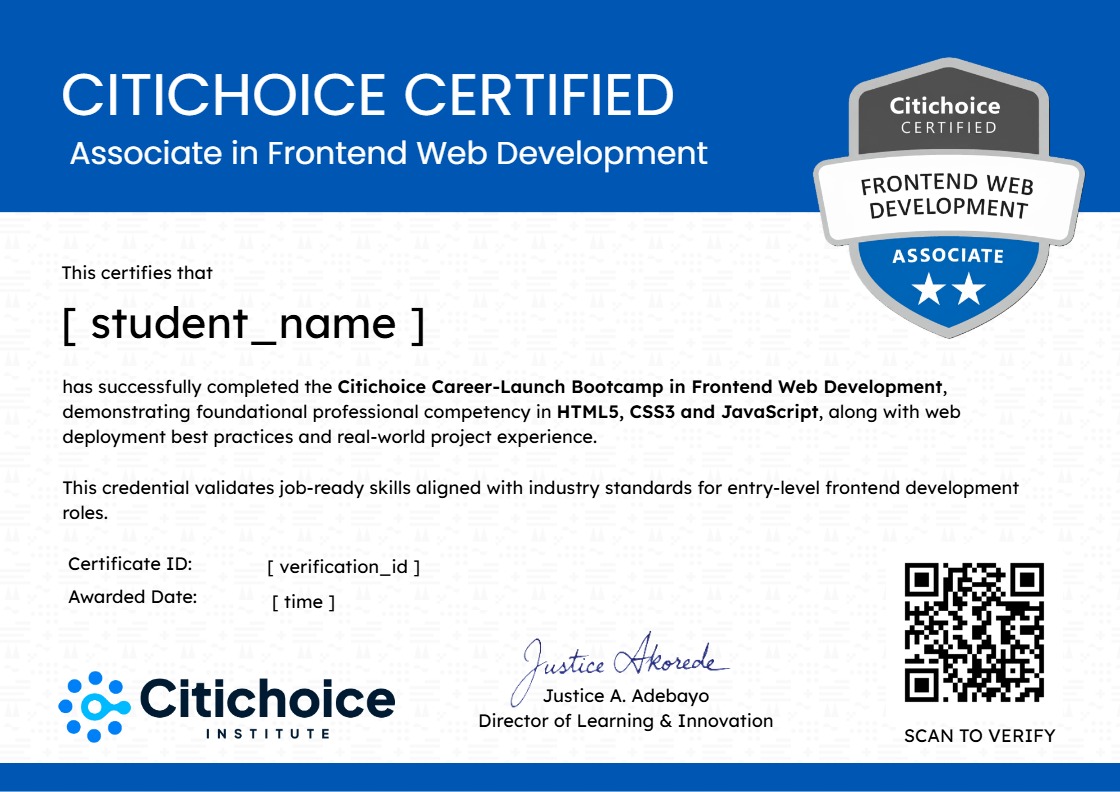
Associate (CCA)
Citichoice Certified Associate in Data Analytics

Earn an industry-recognised, blockchain-verified certificate upon completing all requirements. Share it on LinkedIn with one click.
Blockchain Verified LinkedIn Ready Globally Recognised
Certificate Preview
Click to preview full certificate

Choose Your Plan

Intentionally Priced for Access, Not Exclusivity

Our conviction is simple: the biggest barrier to progress is not talent, it is access. These prices are deliberately set so that geography and income are never the reason someone misses a career opportunity.

Comparable programmes cost
$200.00 $1,100.00
We price our programs 60–80% lower
to make high-quality training more accessible.
Flex
Self-paced
Start anytime and learn at your own pace with lifetime access to all course materials.
$79.99 $89.99
SAVE $10.00

One-time payment · best value

Best For: Working professionals with irregular schedules who need maximum flexibility.
Lifetime access to pre-recorded content
Downloadable resources & datasets
Access to community forums
Direct messaging with instructors
Industry-recognised certificate
Campus
Self-paced + on campus
Face-to-face learning at our Lagos Tech Hub with hands-on instruction and peer networking.
$249.99 $284.99
SAVE $35.00

One-time payment · best value

Best For: Students who prefer the classroom and want in-person mentorship and peer networking.
Everything in Flex
Also included
Face-to-face instruction at Lagos Hub
Networking with campus peers
Computer & software provided
Lagos Tech Hub access
Job placement assistance
7-Day Money-Back Guarantee
Not satisfied with the online content within the first 7 days? We'll issue a full refund, no questions asked. Campus plan: refund applies before your first in-person session. Once physical facilities have been accessed, the seat reservation is non-refundable.

Learn in a Real Classroom Environment

See what your learning experience looks like at Citichoice.

Citichoice Campus
Business Training
Data Analytics Training for Teams

Citichoice Institute partners with organizations to deliver tailored data analytics training that improves decision-making, operational efficiency, and data literacy across teams, with customized curriculum. Flexible delivery. Measurable outcomes.

Request a Quote
Business Training at Citichoice

Scholarship Opportunities 5 Available

We believe cost should never be the reason someone misses a career opportunity. That's why we offer a range of scholarships and funding options for qualified applicants.

Closed
Sponsored by Citichoice Foundation

Early Bird Scholarship

Apply early and secure discounted tuition for the upcoming cohort. Limited-time offer for fast action takers.

Up to 40% Tuition
Expired

All 50 seats claimed

Open
Sponsored by Citichoice Foundation

Tech Talent Scholarship

Awarded to high-performing applicants who demonstrate strong problem-solving ability in our entrance assessment.

Up to 100% Tuition
Ongoing

14 of 15 seats remaining

Open
Sponsored by Aviyah Foundation

Women in Tech Scholarship

Supporting more women to enter and thrive in tech. Get access to structured training, mentorship, and career opportunities.

Up to 100% Tuition
30 July 2026

28 of 50 seats remaining

Open
Sponsored by Citichoice Foundation

NYSC Tech Transition Scholarship

For corps members and recent graduates ready to pivot into tech. Gain practical, job-ready skills while preparing for your next career move.

Up to 60% Tuition
15 July 2026

10 of 25 seats remaining

Open
Sponsored by Citichoice Foundation

JAMB Excellence Scholarship

High-performing JAMB candidates can fast-track into tech with subsidised tuition. Start building in-demand skills without waiting for university admission.

Up to 70% Tuition
30 June 2026

19 of 30 seats remaining

Frequently Asked Questions

Do I need any prior experience to enroll?

No. This program is designed for beginners. You’ll start from the fundamentals and progress step by step into advanced data analysis techniques.

How long will it take me to become job-ready?

The program is structured to make you job-ready in 4 months, provided you follow the lessons, complete the projects, and practice consistently.

What tools will I learn in this course?

You will gain hands-on experience with Excel, SQL, Python, Tableau, and Power BI, which are widely used in the data analytics industry.

Will I work on real projects?

Yes. You will complete multiple real-world projects using datasets from industries like retail and finance. These projects will form part of your portfolio.

Referral Programme

Know Someone Ready to Break Into Tech?

If you've been through this programme, or you just believe in accessible tech education, share it with someone who'd benefit. When they enrol, you earn a commission. No follower count needed. No sales experience required. Just a genuine recommendation.

Up to 30% commission per enrolment
30-day tracking : credited even if they enrol weeks later
Ready-made assets : banners, social posts, videos, course descriptions
Real-time dashboard showing your referrals and earnings
Multi-currency payouts : bank, mobile money, crypto, PayPal
Join the Referral Programme
Commission Tiers
15%
Starter
0–10 referrals
20%
Growth
11–50 referrals
Max
30%
Partner
50+ referrals
You start at 15% and tier up automatically as your referrals grow.
Still have questions? Our team is available Mon–Fri 9am–6pm WAT

Want to receive push notifications for all major on-site activities?